Projects From Spreadsheet to Schedule
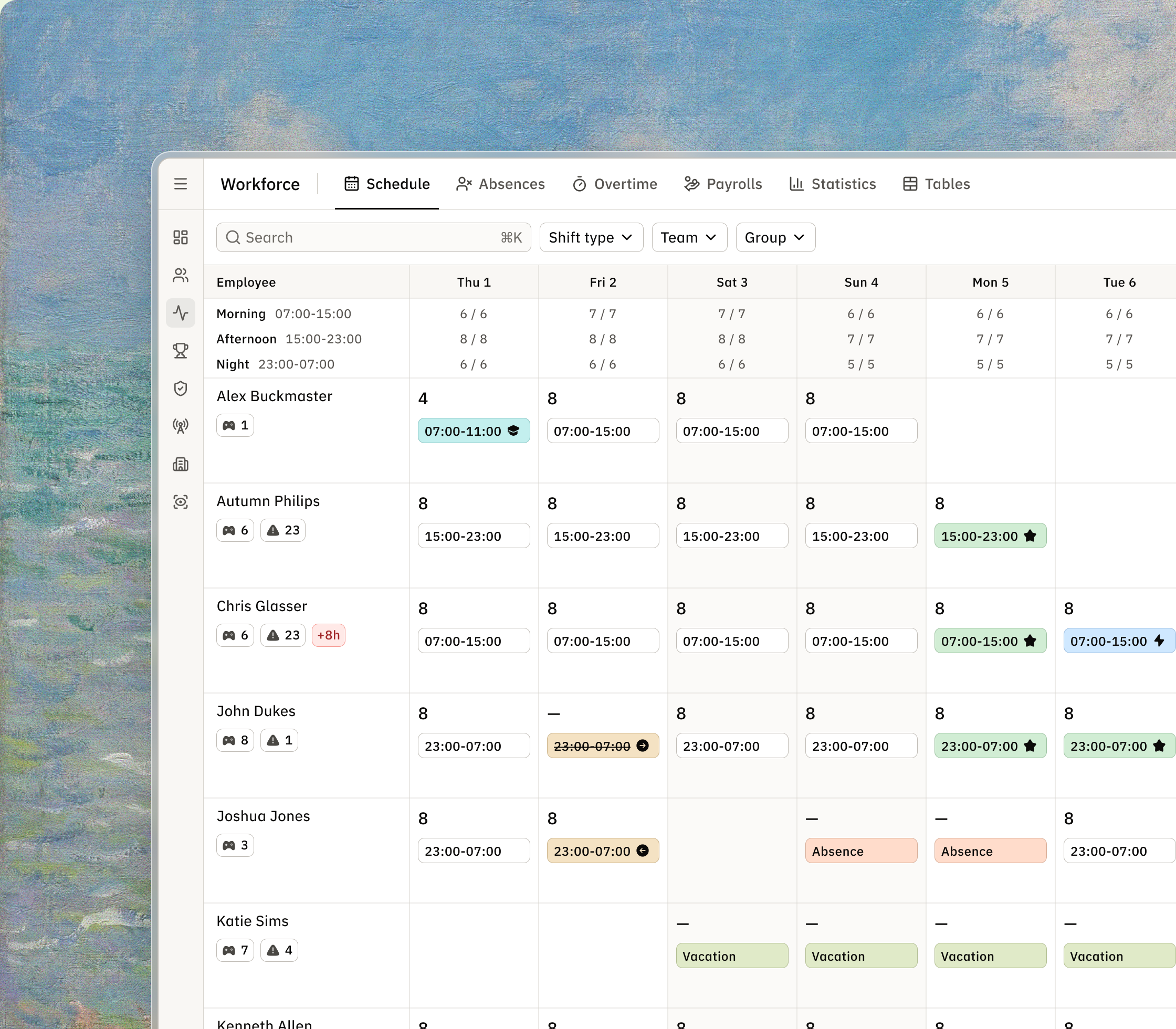
Schedule grid with shifts, coverage and people, shown over a painted landscape.

From Spreadsheet to Schedule

5 min read

Redesigning shift planning for ~600 live-casino dealers: from a shared Excel file to a tool that checks the rules.

Role
Product designer
Team
Product owner, project manager, tech lead, developers, QA
Timeline
February - March 2026
Platform
Internal desktop web app

Overview

Schedule is the planning section of a live-casino studio’s internal people tool. Twelve team managers each plan about 50 dealers.

The ask

  • One source of truth instead of a shared Excel file
  • Overtime checked before every change
  • Every change traceable
  • A schedule dealers can trust
Schedule grid with people in rows, days in columns, shift times in cells and monthly totals.

Who’s who

The pit boss sets demand per shift. Team managers plan the month and handle every change. Dealers swap shifts and ask for more. Rotation planning reads our data, never writes to the schedule. Each dealer knows a set of games and many have restrictions.

Diagram of pit boss, team manager, dealer and rotation planning around the schedule.
Four parties around one grid

One spreadsheet, six failing jobs

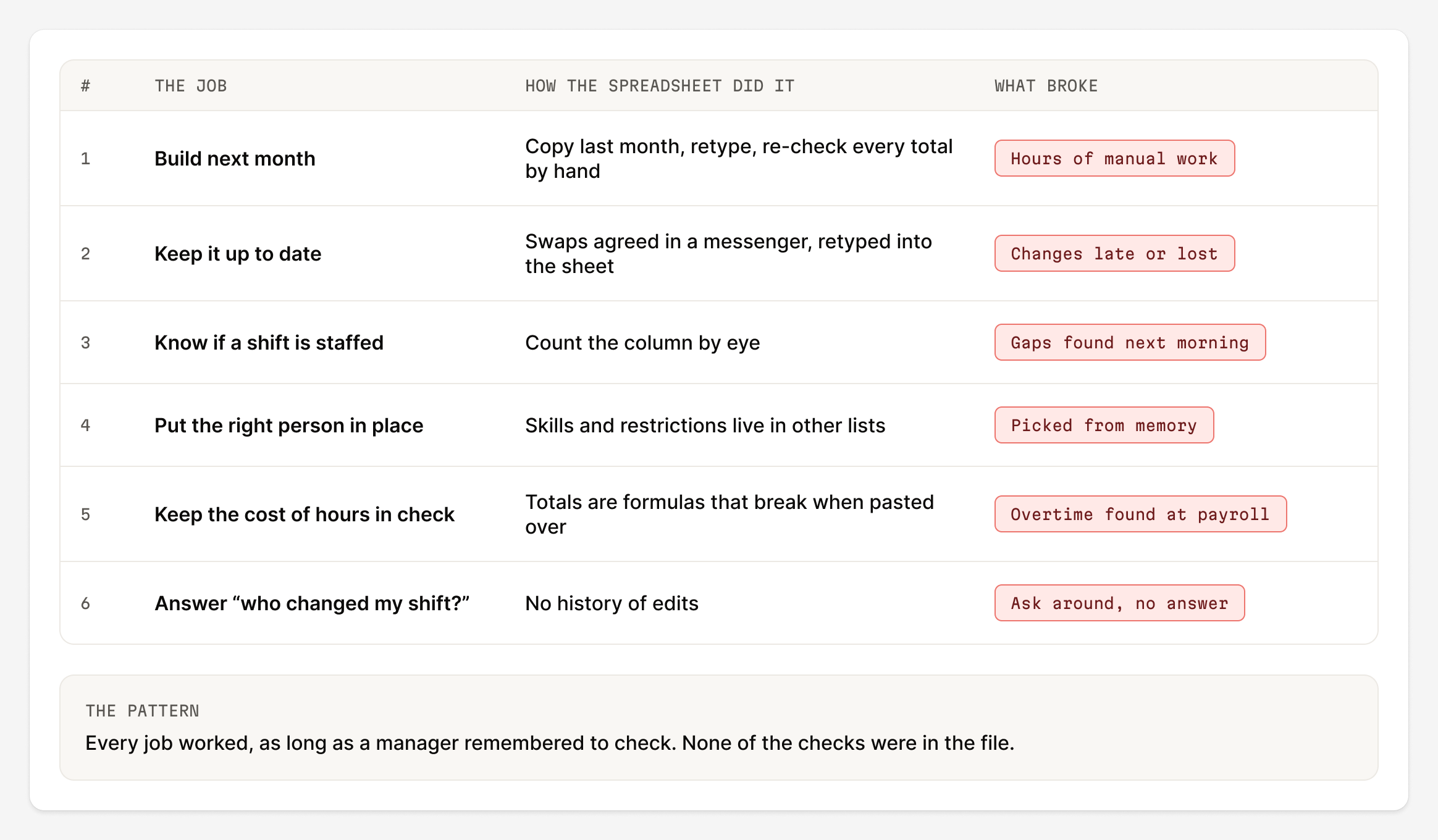
Everything lived in one shared spreadsheet. It was dense, fast and needed no training. But it checked nothing. Six everyday jobs worked only if a manager remembered to check.

Old shared spreadsheet with people in rows, days in columns and cells like 8, V or sick.
The old file: a cell says “8”, “V” or “sick”
Table of six scheduling jobs, how the spreadsheet handled each and what broke.
Six jobs and how each one broke
Timeline of a sick-call morning from 07:05 to 07:40, taking 35 minutes.
A composite morning: 35 minutes and nobody knows who changed the cell

Rules before screens

The backend started before design, so the rules came first. I worked from the domain, six manager conversations and the pay rules. The requirements described the screen, not the behaviour. For each gap I brought the product owner options.
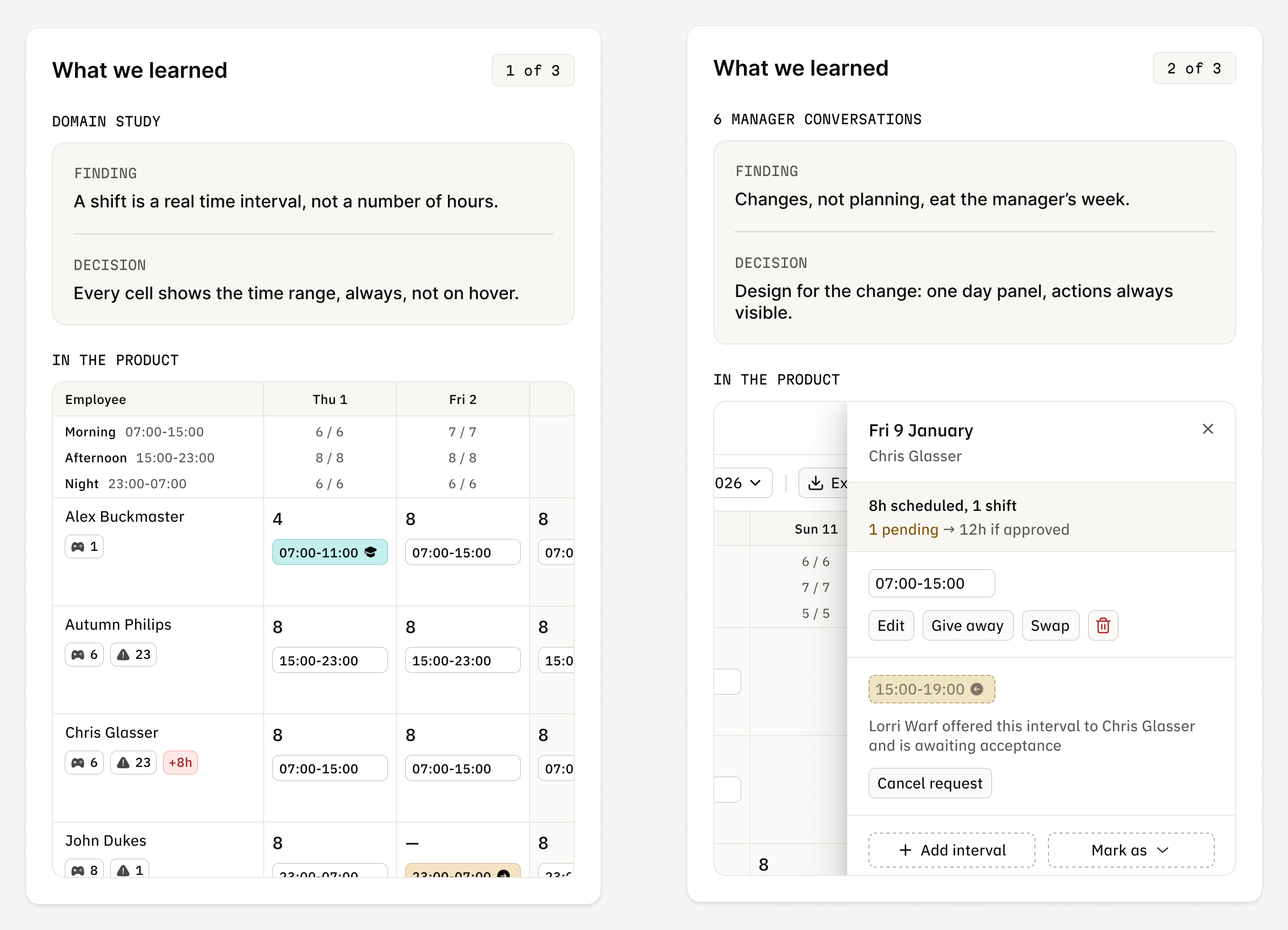
Two research cards: shifts are time ranges and changes take most of a manager’s week.
Two findings, each with the decision it led to

One rule for overtime

The requirements set 80 hours in “every rolling 14-day window (Monday-Sunday)”, the same for everyone. That is ordinary full time, so it was a cost rule. We shipped one monthly rule: hours above each person’s own norm are overtime.
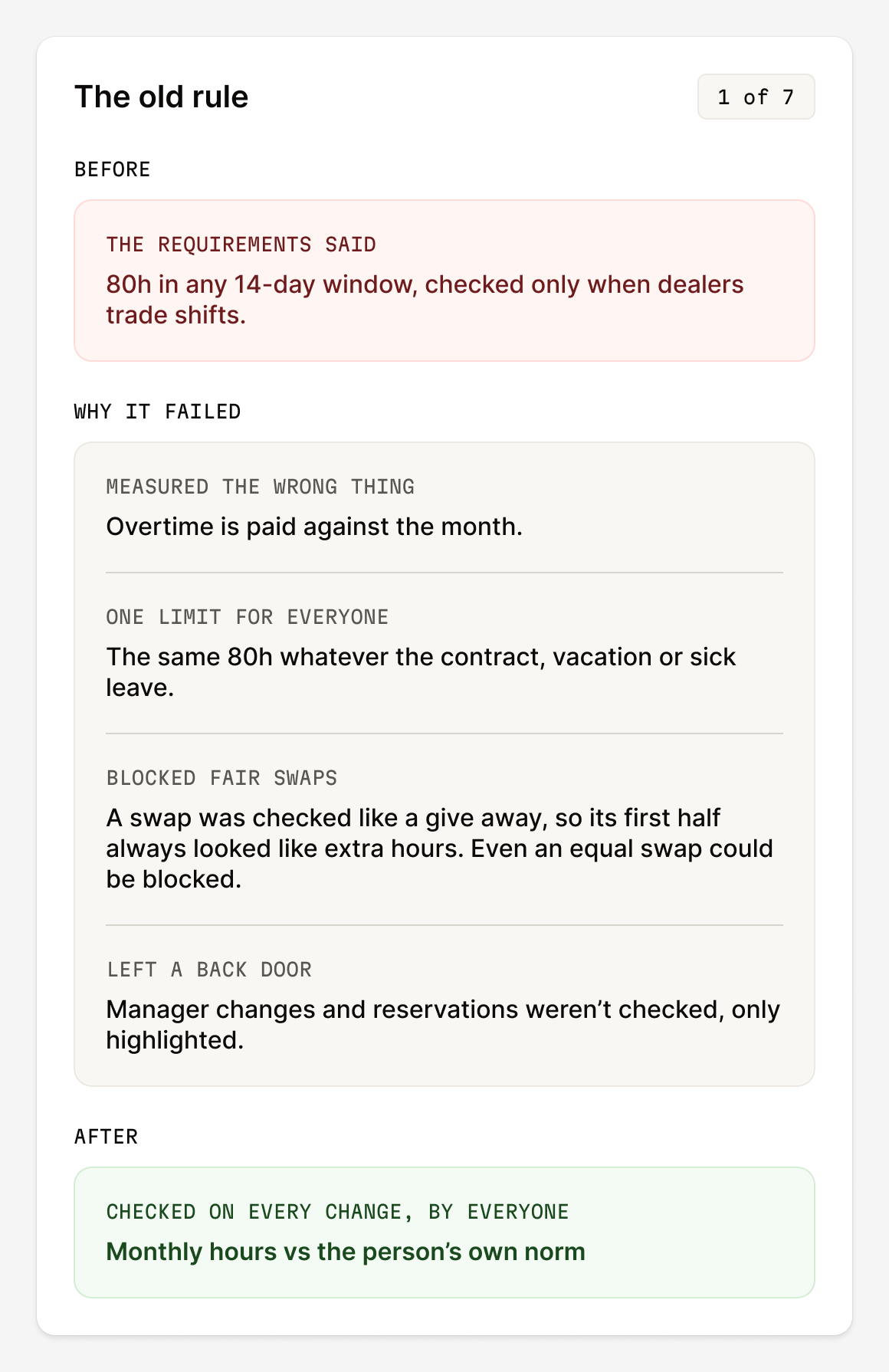
Card with the old 80-hour rule and four reasons it failed.
The old rule and four reasons it failed
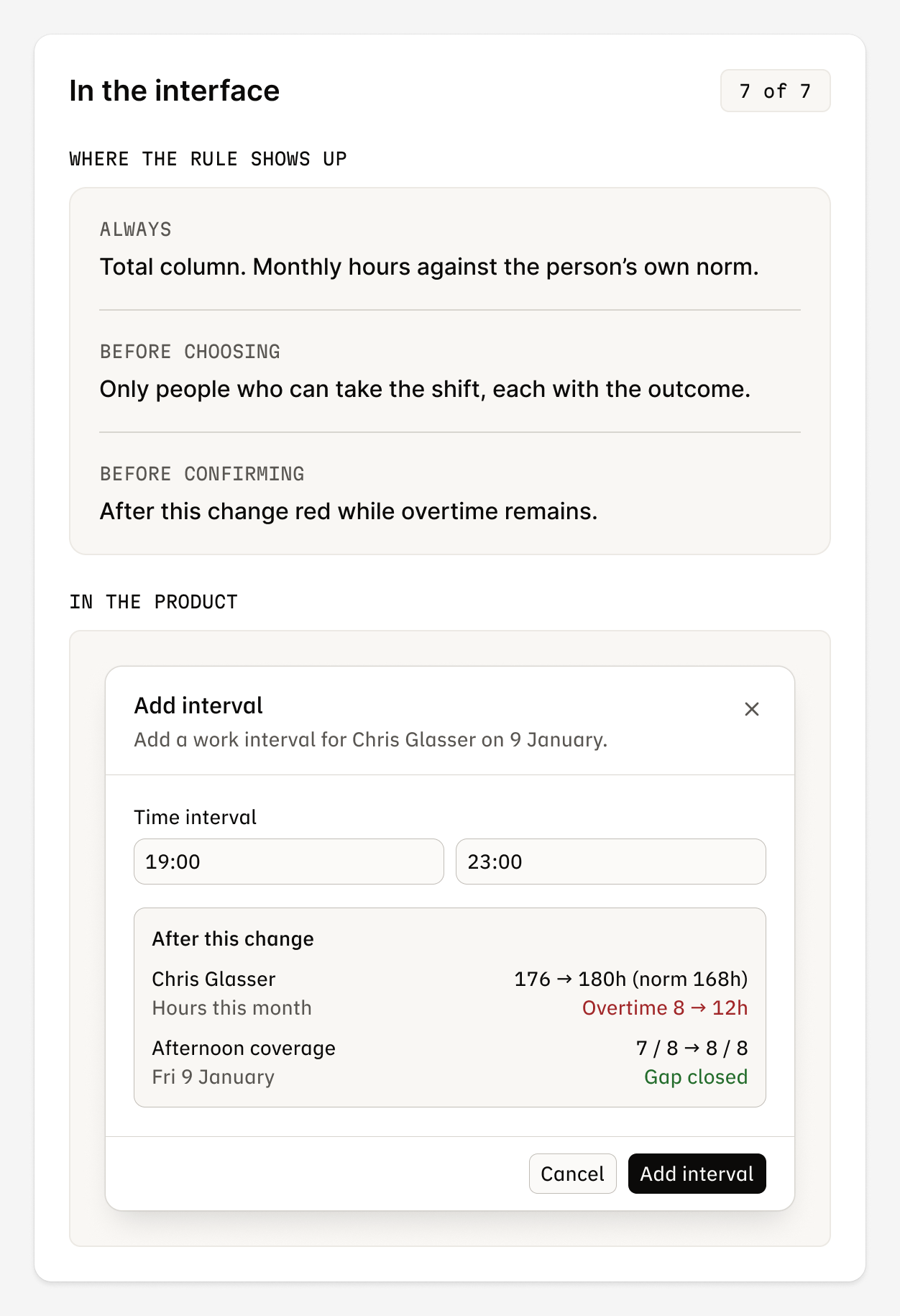
Where the overtime rule appears: Total column, people list and the After this change block.
Where the rule shows up in the interface
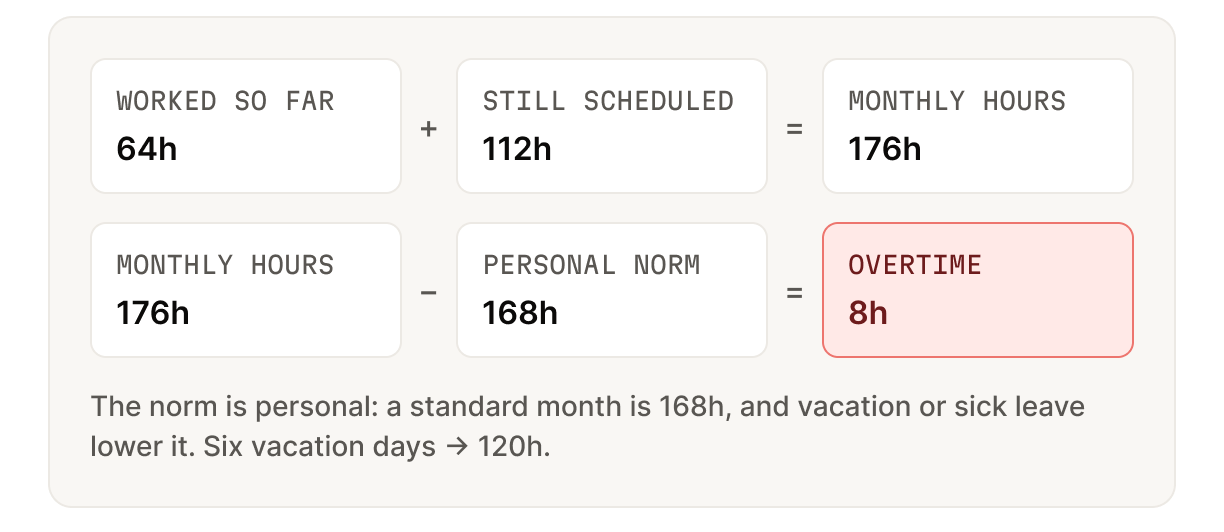
Calculation: 64 hours worked plus 112 scheduled equals 176, minus a 168-hour norm gives 8 hours overtime.
Worked so far plus still scheduled, against a personal norm
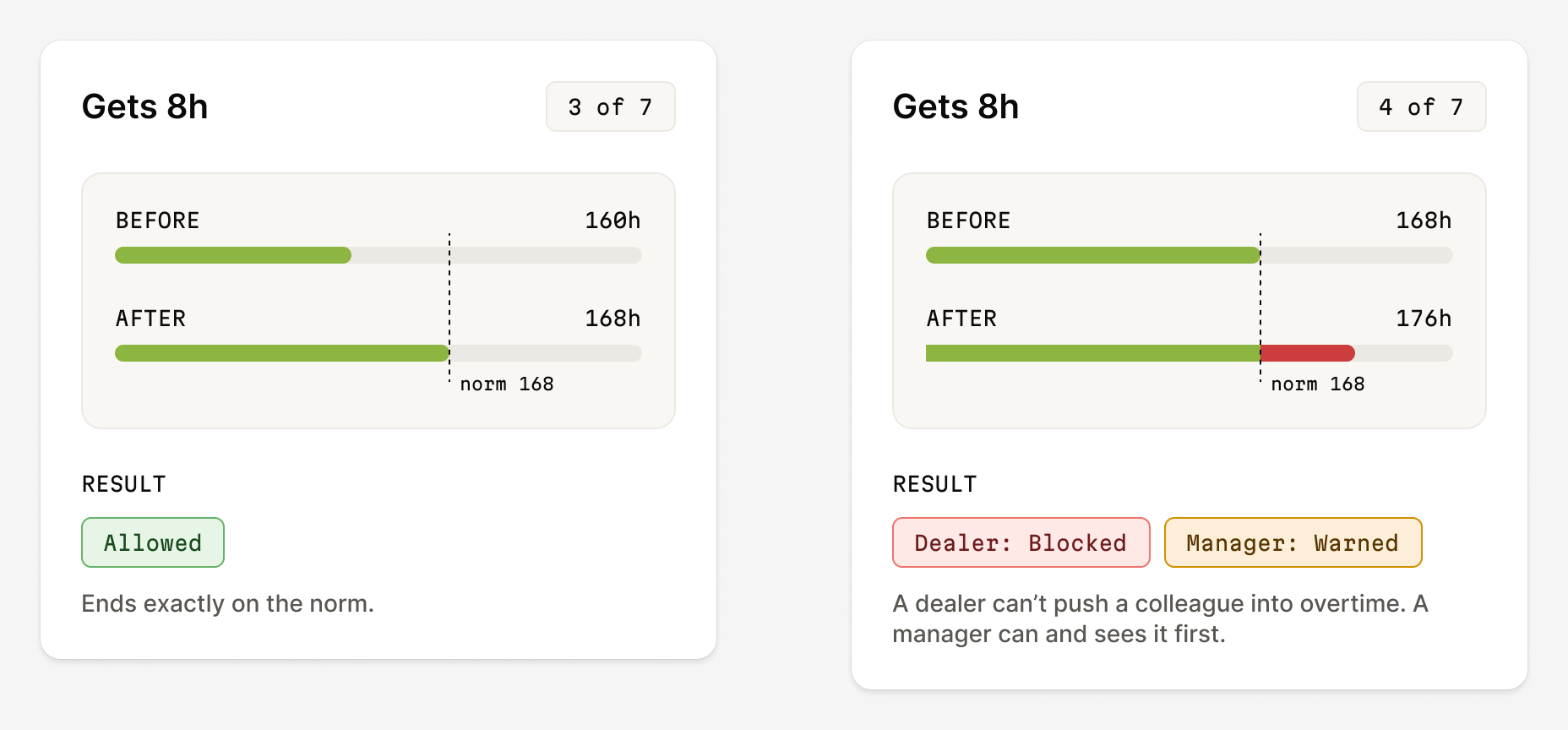
Two cases: getting 8 hours up to the norm is allowed; above it a dealer is blocked, a manager warned.
Above the norm, a dealer is blocked and a manager is warned

Four principles

I used them to settle design arguments.

  1. Spreadsheet density, product reliability.
  2. Consequence before confirming.
  3. One number, one truth.
  4. Every change has an author.

The grid we kept

Still people × days, kept on purpose so managers didn’t have to relearn the month. What each part tells you changed. Click a cell to open the day panel. Every action ends the same way: the result is shown before you confirm.

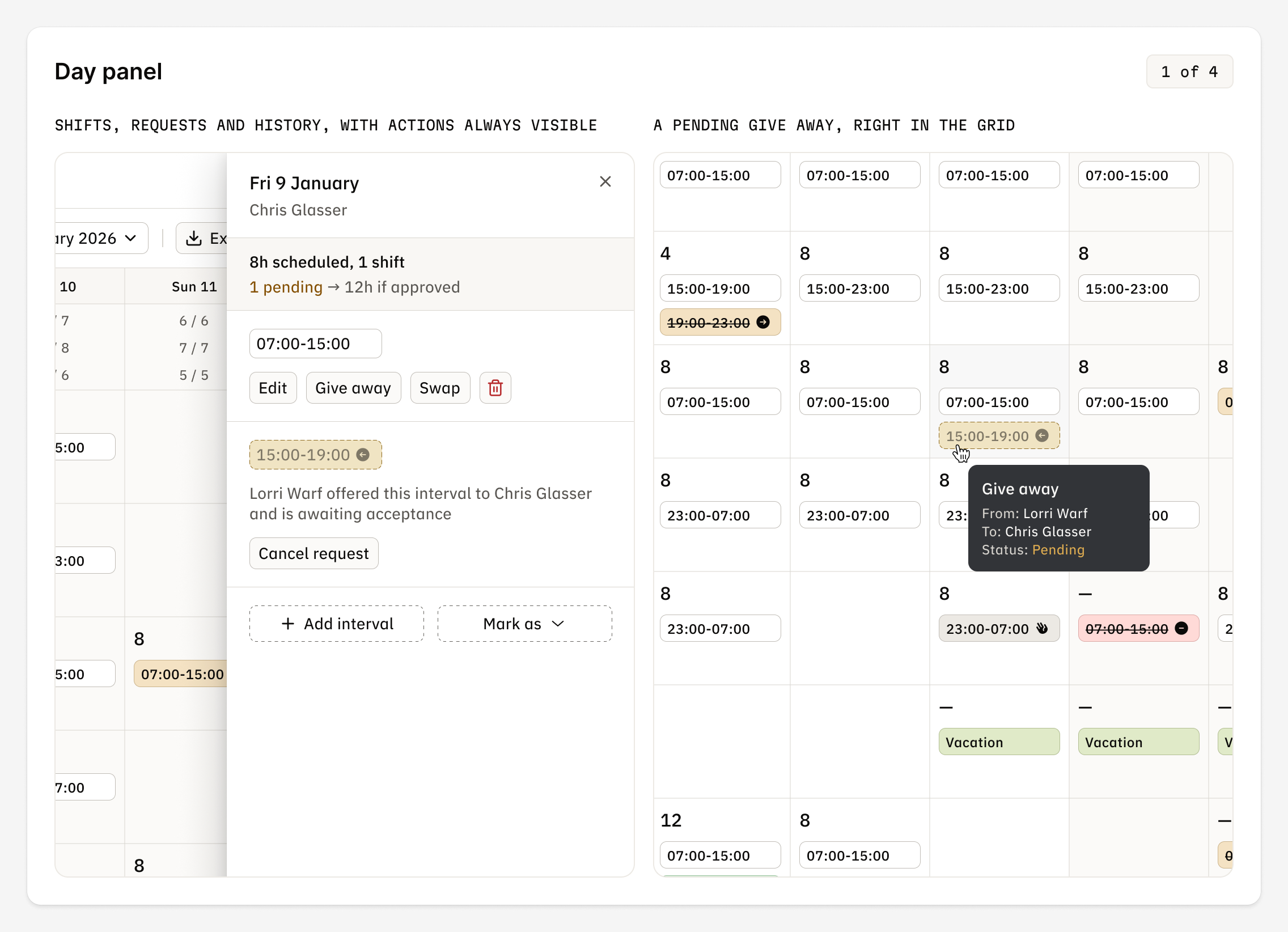
Four cards comparing spreadsheet and Schedule: the cell, coverage, the person and the total.
Same layout, more knowledge
Day panel listing shifts, requests and history, with edit, give away and swap buttons.
The day panel: shifts, requests and history in one list
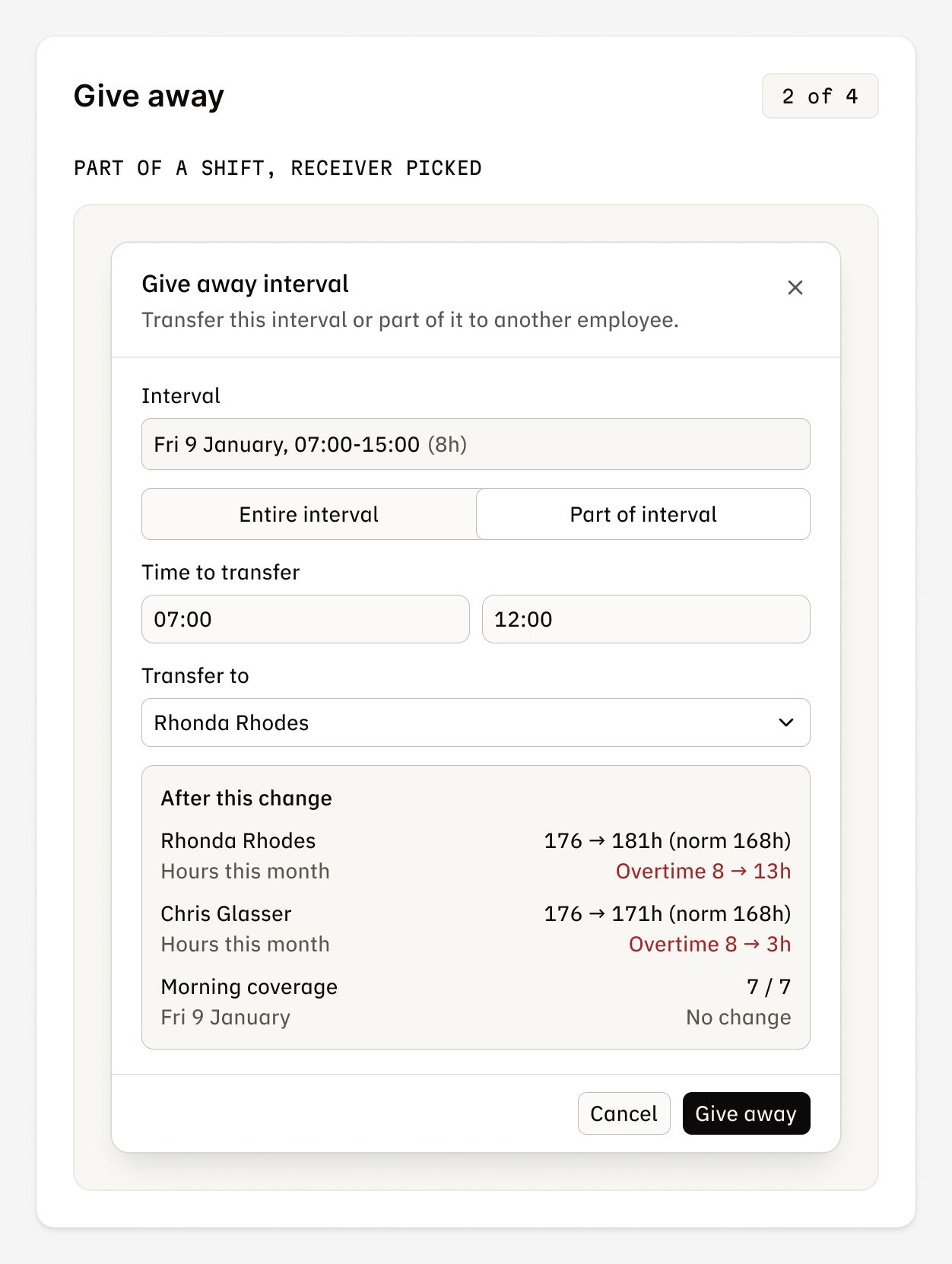
Give-away dialog with part of a shift, a chosen receiver and the result before confirming.
Give away: whole shift or part of it, result first
Three swap screens: matching shifts, both sides of the change and the author in history.
Swap: shift for shift, same length. Hours never change
Edit and add screens showing overtime in red before saving and the change in history.
Edit and add: overtime that stays is red

Coverage

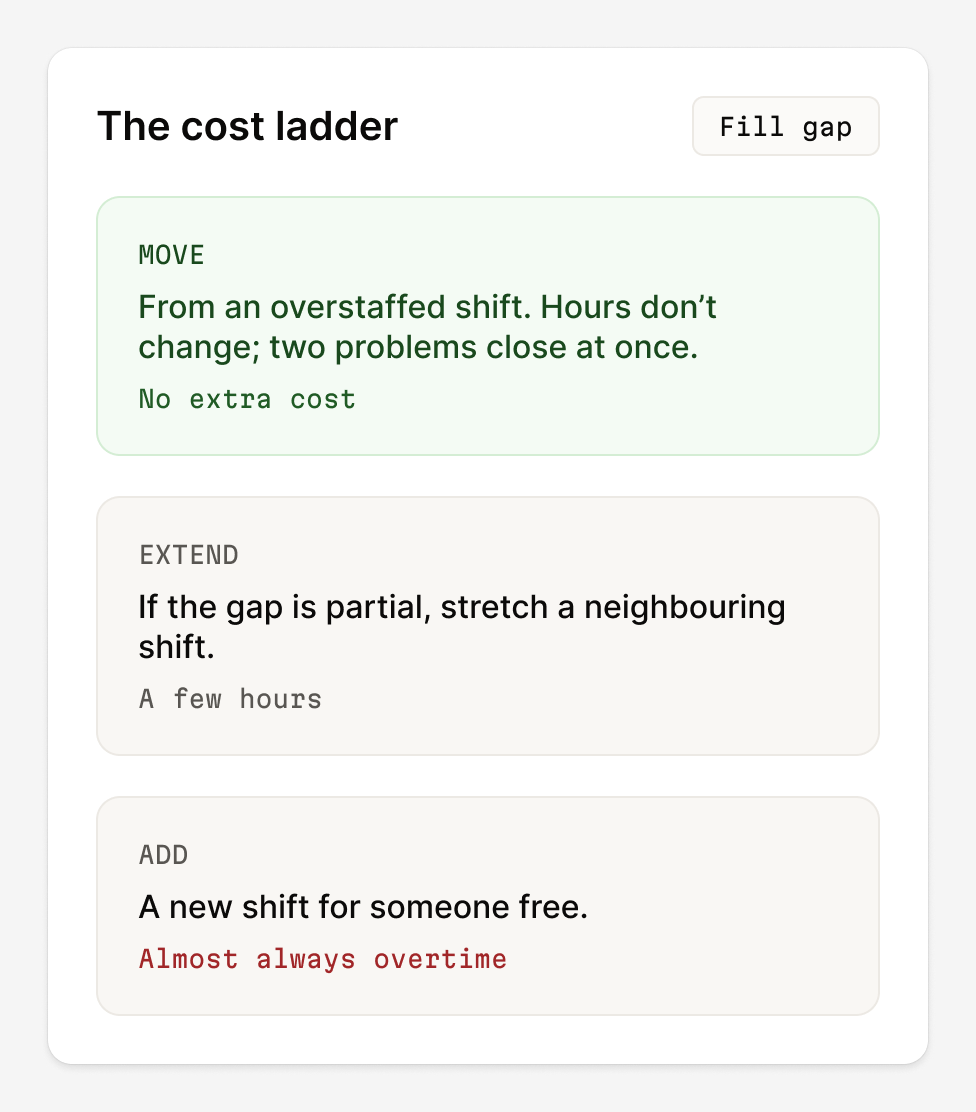
The pit boss sets demand, one number per shift. The tool shows coverage under every date, lists every gap and offers fixes, cheapest first.

Three steps: a gap under the date, the Coverage issues list and Fill gap options.
See the gap, find it in the list, fix it
Cost ladder: move from an overstaffed shift, extend a neighbouring shift, or add a new one.
Move someone, extend a shift, or add one

Two queues and export

Requests are split by who decides: reservations wait for the manager, swaps for the other dealer. Teams outside the tool still work with files, so Export builds one from the same data.

Two request queues: reservations for the manager and swaps waiting on the other dealer.
Needs approval and Waiting on dealers
Export dialog for an XLSX file and the export running in the background history.
An XLSX file, generated in the background

A morning, now: 4 minutes

The same sick call, through the product. The manager marks sick leave, finds the gap and moves a dealer from an overstaffed Saturday night. Fill gap checks games and restrictions. No overtime and the manager’s name is in history.

Four steps from 07:06 to 07:09: sick leave, the gap list, picking a replacement, done.
07:06 to 07:09: mark sick leave, find the gap, move a dealer
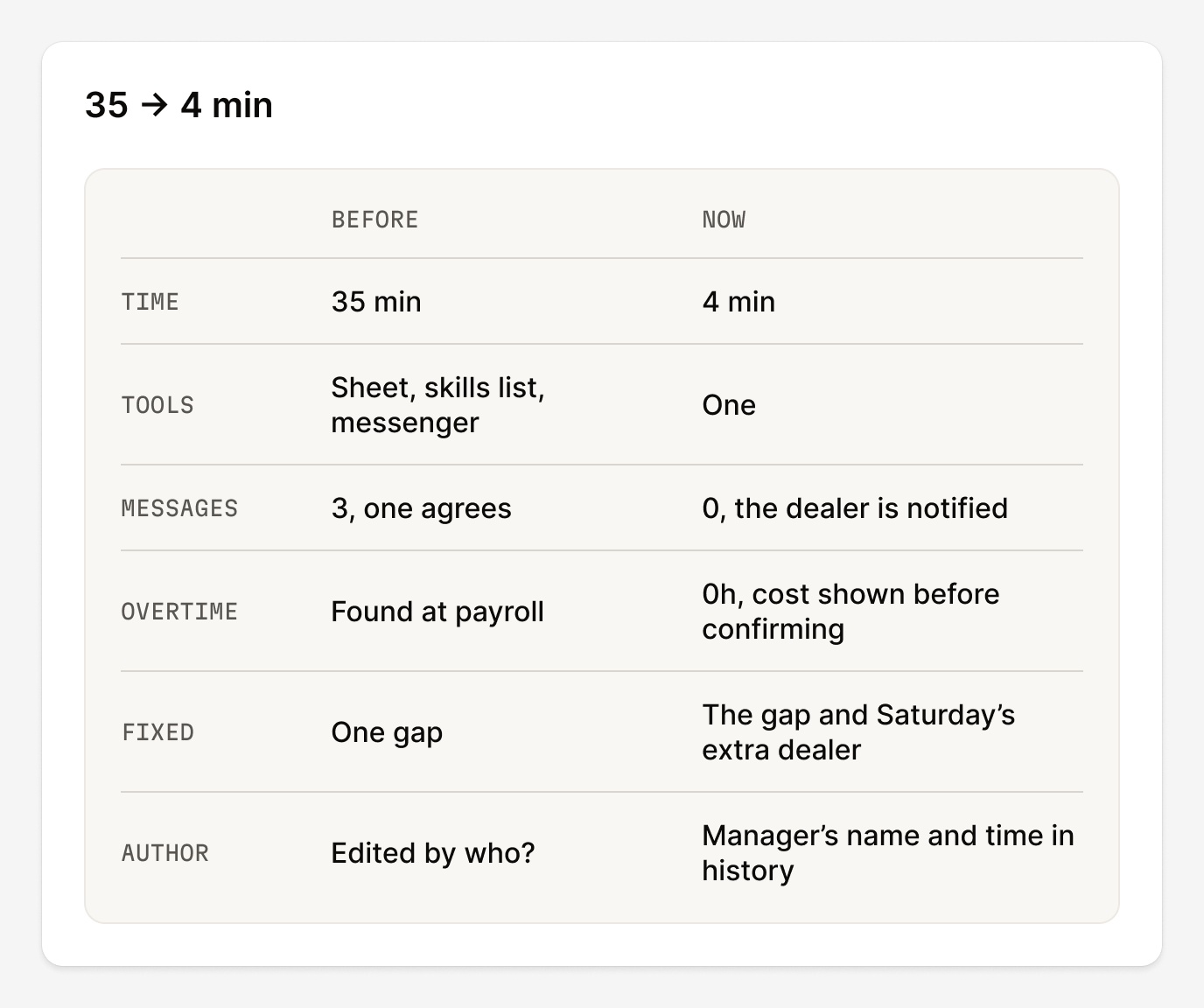
Before and now table: 35 minutes to 4, one tool, no overtime, author in history.
35 → 4 minutes: a step-by-step walkthrough, not a measurement

Outcome

Schedule launched on 29 May 2026. The checks that lived in a manager’s memory now live in the tool. Every change shows its cost first and keeps its author.
35 → 4 minone sick call, a step-by-step walkthrough, not a measurement
1 rulefor overtime, checked before every change
~600dealers planned in one place
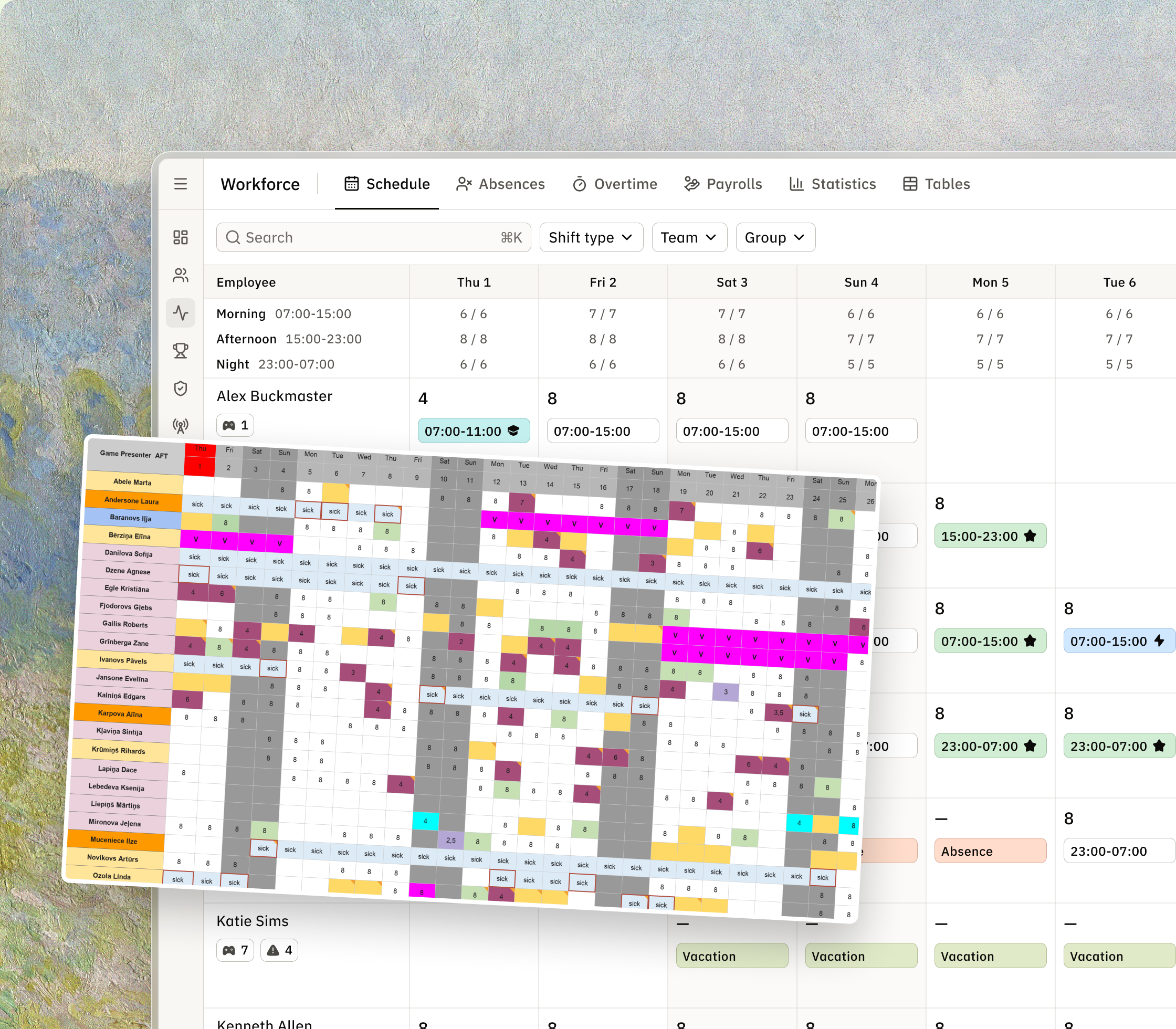
The old colour-coded spreadsheet laid over the new Schedule grid.
From one shared file to one tool

Thanks for reading!